
How Socialbot plans and allowances work
A Socialbot plan covers one platform and gives you an allowance for each metric: a fixed amount that resets every 7 days on weekly billing and every 30 days on monthly. Every channel you add on that platform spends from the same allowances. YouTube live viewers are the exception. There the plan sets the most viewers per boost, and you can use that number on every stream.
One plan per platform, one allowance per metric
A TikTok plan covers your TikTok accounts only, so growing TikTok and YouTube at the same time means holding two plans. Each platform has Starter, Pro and Elite tiers, billed weekly or monthly, from $9.99 a week on TikTok and $12.99 a week on Instagram and YouTube. When you need more than Elite includes, you can add custom amounts of any metric on top of your plan, and they add to its allowance.
Each metric has its own allowance. TikTok Starter weekly gives 250 followers, 1,000 likes, 10,000 views, 20 comments, 100 saves and 100 shares every 7 days. When a metric hits zero, you can’t start more of it until the reset, while the others keep working.
Metrics don’t convert, so 500 unused likes can’t be swapped for views. Every tier’s numbers are on plans and prices. Flip the Monthly switch on any card to see the monthly prices and amounts.
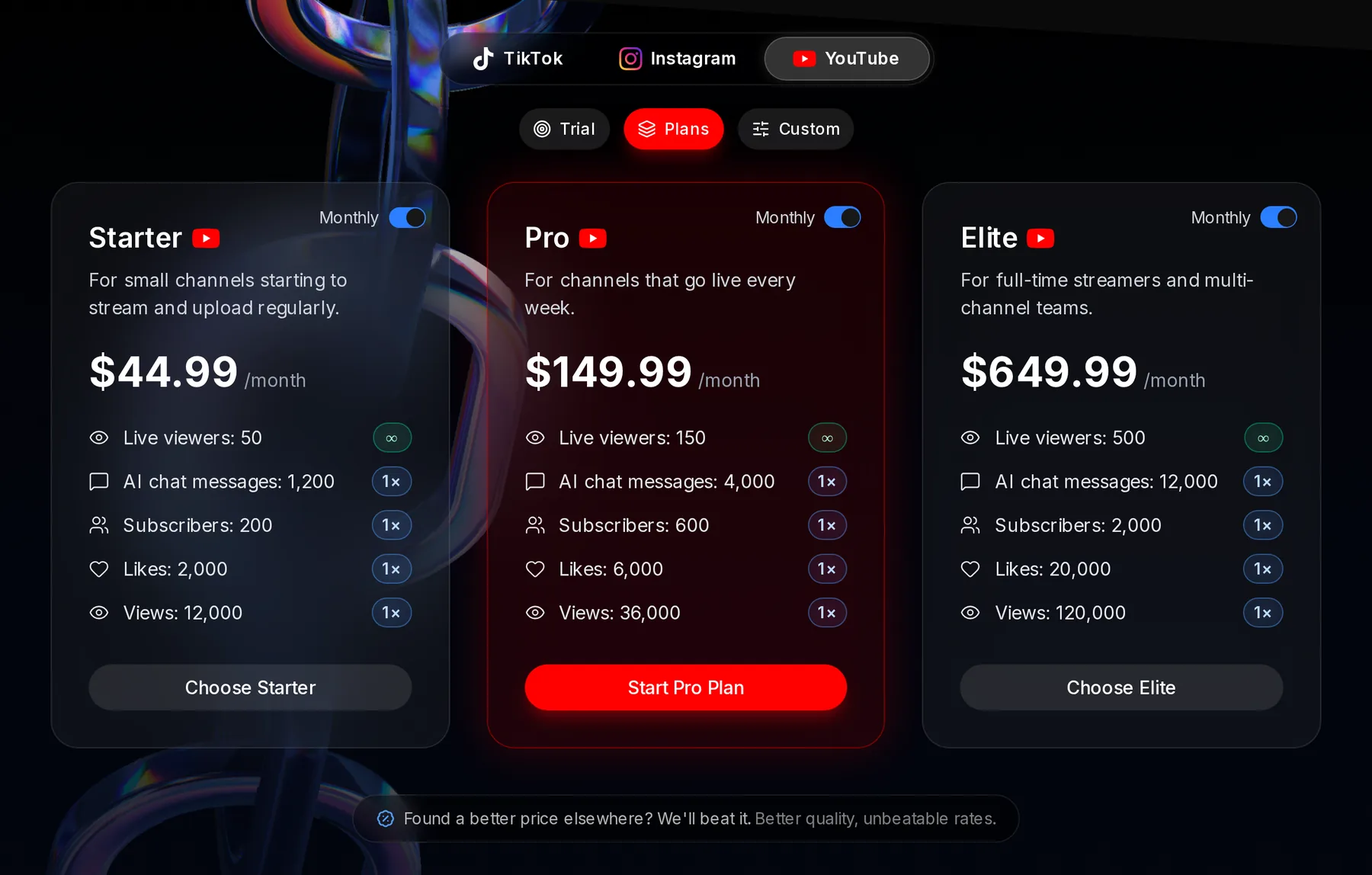
- Monthly switch, on
- Price per month
- ∞ on live viewers: a per-boost limit you can use on every stream, not an amount that runs down
When weekly and monthly allowances reset
A weekly allowance comes back to the plan’s full amounts every 7 days, a monthly one every 30. Nothing rolls over. If 200 of your 250 TikTok followers are still unused at the end of the week, the next week starts at 250, not 450.
Each metric keeps its own clock. Its 7 or 30 days start the first time you use that metric, not on the day you paid, and once they’re up the next period starts the next time you use it. So likes and views can come back on different days. Buying a different plan (Starter to Pro, or trial to Starter) starts every metric fresh at the new plan’s full amounts.
Monthly costs less per unit. TikTok Starter monthly is 1,000 followers for $34.99, about 3.5 cents each, against 250 for $9.99 (4 cents) on Starter weekly. The bigger pool also lets you send all 1,000 to one profile in a single instance.
Weekly spreads the spend out. A creator posting three videos a week on Starter weekly gets a fresh 1,000 likes every 7 days, where a monthly pool used up in week one leaves nothing until day 30.
Where to see what’s left of each allowance
Two places show it. The service picker, where you start an instance, lists what’s left next to each metric, and Settings, Subscription (from your name at the top right) shows every plan and custom item you hold, with a tile per metric. When you have custom amounts, each tile shows the combined total and a line for each part.
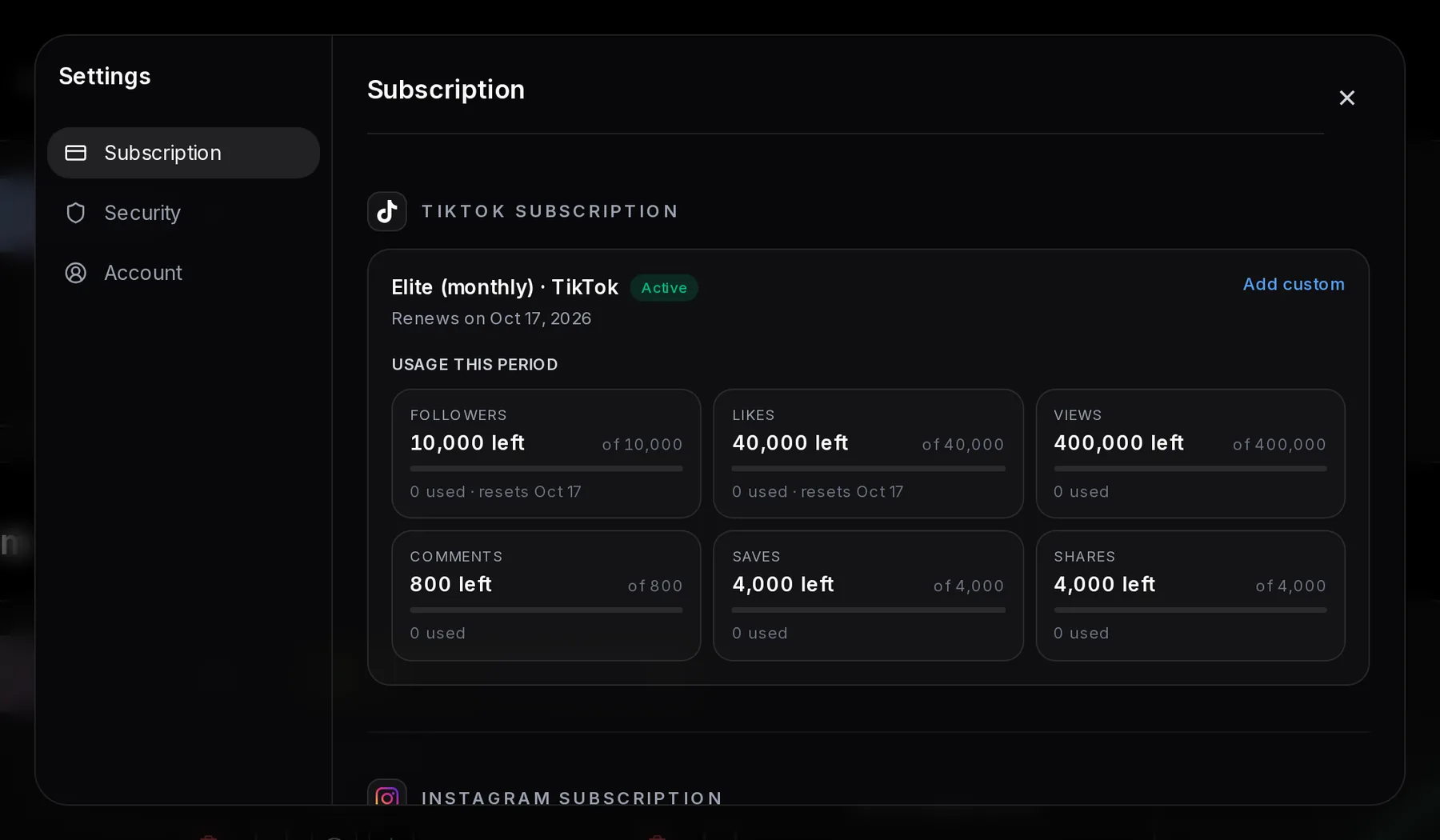
- Subscription tab
- Plan and platform
- Status: Active, or Trial during the $4 trial
- Renews on: your next billing date
- A metric tile, here Followers: what’s left this period and how much you’ve used
Renews on is when the plan bills again, not when an allowance comes back: each metric resets on its own 7 or 30-day clock, as above. On YouTube, the live viewers tile needs one more note.
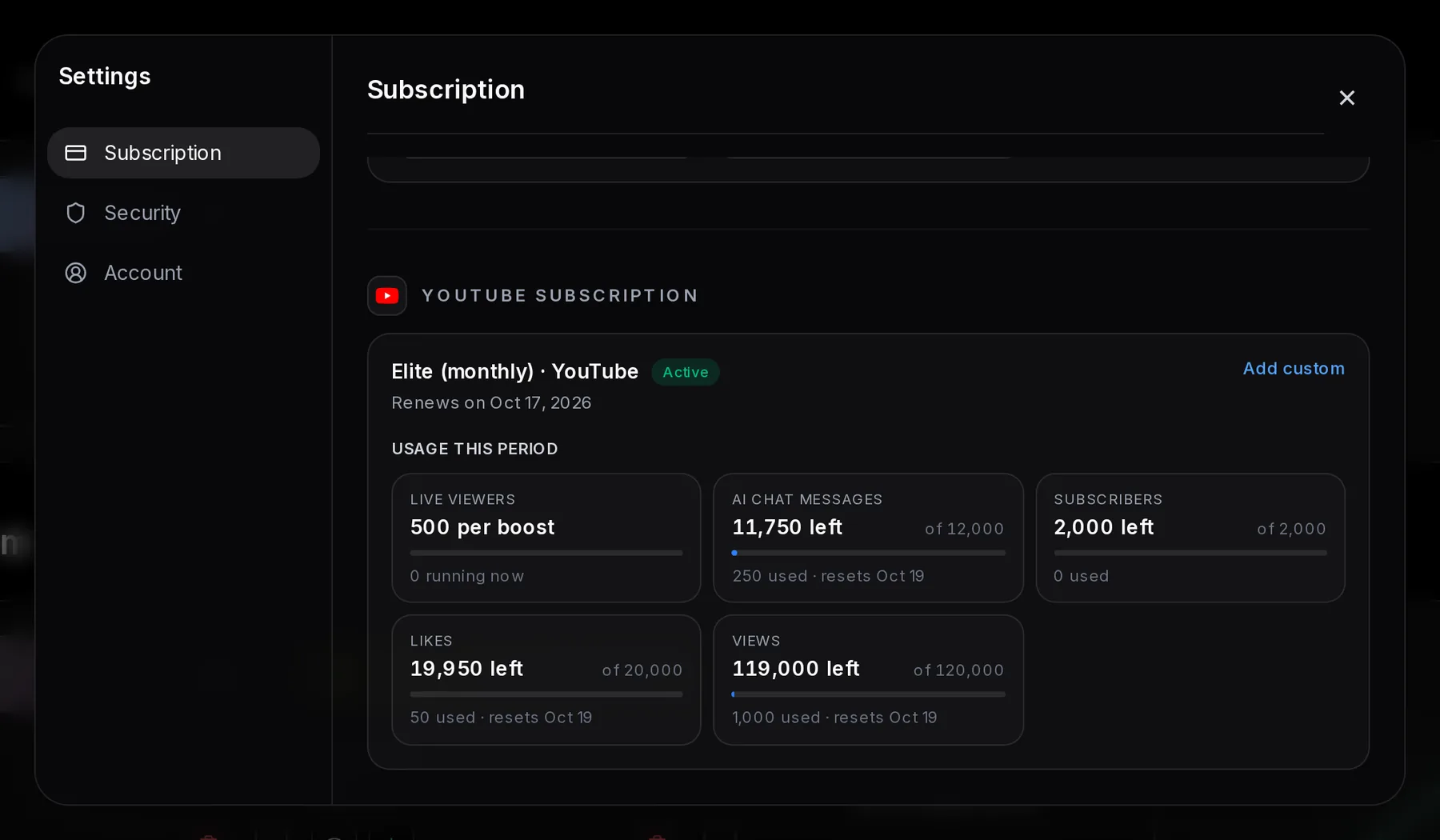
- YouTube plan
- Live viewers: your per-boost limit, which doesn’t run down
- AI chat messages: left and used this period
Smallest and largest amount you can start for each service
Every service has a smallest amount you can start, from 1 TikTok comment up to 1,000 YouTube views. Two YouTube services also cap one instance below what the larger plans include, likes at 5,000 and views at 100,000.
| Service | TikTok | YouTube | |
|---|---|---|---|
| Followers or subscribers | 10 | 100 | 50 |
| Likes | 10 | 10 | 20 (max 5,000) |
| Views | 100 | 50 (Reel views) | 1,000 (max 100,000) |
| Comments | 1 | 10 | Not offered |
| Saves | 50 | 10 | Not offered |
| Shares | 10 | Not offered | Not offered |
| Live viewers | Not offered | Not offered | 10 per boost |
| AI chat messages | Not offered | Not offered | 5 |
Minimums matter at the end of a period. YouTube Starter weekly includes 3,000 views. Starting 1,000 three times uses it exactly, but one instance of 2,500 strands 500, too little to start more views before the reset.
Maximums only change how many instances you start. Pro monthly’s 6,000 YouTube likes need at least two, as do Elite monthly’s 120,000 views. Subscribers have a different limit, one instance per channel at a time, so start the next subscribers instance on that channel only after the first finishes.
YouTube live viewers: a per-boost cap you reuse every stream
The plan’s live-viewer number is the most concurrent viewers a single boost can have, and it applies to every stream while the plan is active. Starter allows 50, Pro 150 and Elite 500, on weekly and monthly billing alike.
A Pro weekly streamer who goes live on Tuesday, Thursday and Saturday can run a 150-viewer boost on all three, and again the week after. The cap is one number for all your YouTube channels, so two channels live at the same moment split it.
What you do choose is the length, from 30 minutes to 6 hours, and a running boost can’t be extended. The YouTube live guide covers durations, and how Auto-Start works explains how boosts get sized to your average stream length after 5 streams.
AI chat messages: an allowance you use up
Every AI chat message posted comes out of the period’s allowance, the same way likes and views do. The chat runs at 2–5 messages a minute, so budget it per stream. Pro weekly’s 1,000 messages split across three streams give each about 333, which is 67–167 minutes of chat.
Monthly plans hold four times the weekly amount at each tier (1,200 on Starter, 4,000 on Pro, 12,000 on Elite), so you can put more of it on one big stream. What the messages say, and how the AI follows your stream, is on the AI chat bot for YouTube live page.
What the $4, 12-hour trial includes
The trial is a one-time $4 purchase for one platform. For 12 hours you get a small amount of each service there, except TikTok shares, and nothing resets in that window. Pick the platform on plans and prices, then the Trial tab.
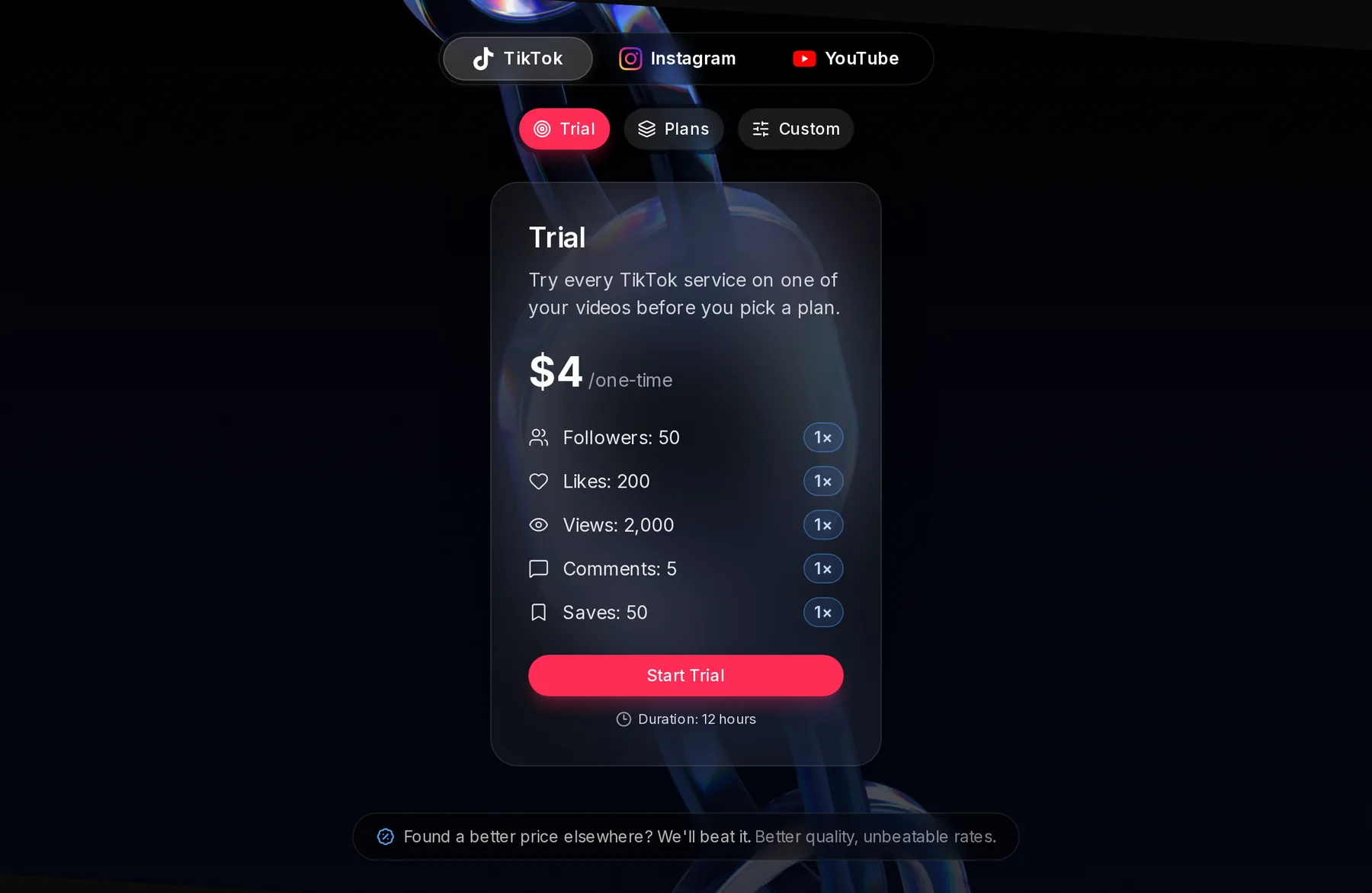
- Trial tab
- Price: $4, paid once
- Start Trial
Some trial amounts equal the smallest amount you can start, so each makes one instance.
- TikTok: 50 saves make one instance. The 50 followers, 200 likes, 2,000 views and 5 comments can be split across several.
- Instagram: 100 followers and 10 comments are one instance each, and 20 saves make up to two.
- YouTube: 1,000 views and 50 subscribers are one instance each. Live viewers are 25 per boost, and 100 AI chat messages cover about 20–50 minutes of chat.
Time a YouTube trial around a stream. Live viewers and AI chat only start while you’re live, so a trial bought on Friday night runs out before a Saturday afternoon stream.
Payment methods and 10% off with auto-renew
Plans are priced in US dollars and paid by card, Apple Pay or Google Pay through Stripe, or in crypto through Cryptomus.
Turn on auto-renew when you pay by card and the plan costs 10% less, so TikTok Pro monthly drops from $94.99 to about $85. The discount doesn’t apply to the trial or to crypto payments. The same rules cover the amounts you add on the Custom tab.